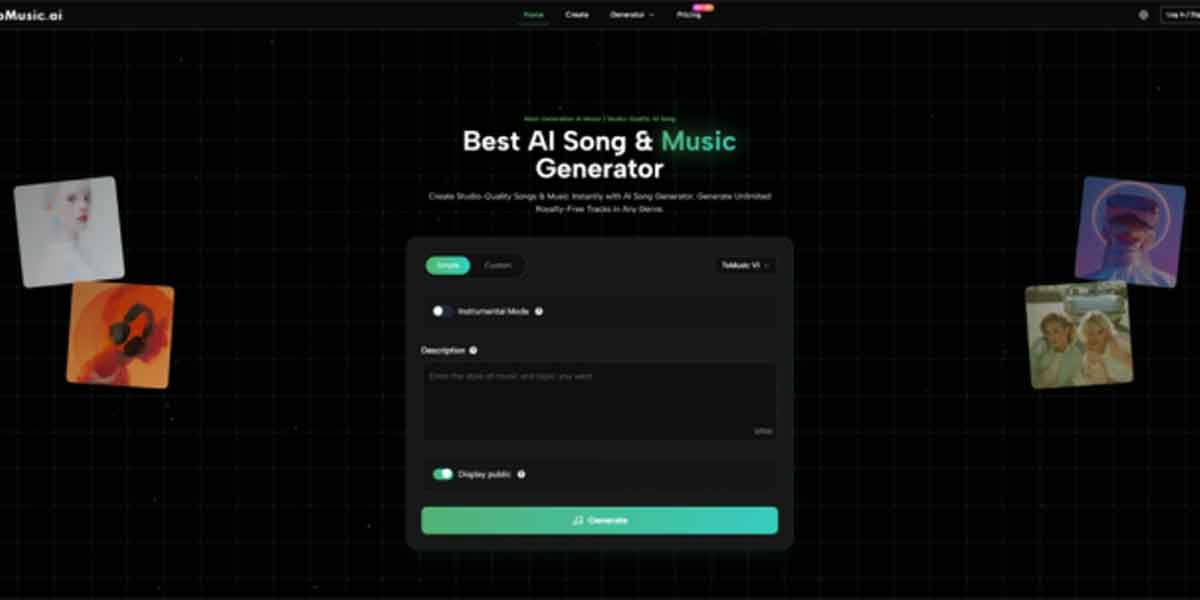
You’ve probably written a line of lyrics or mumbled a melody into your phone and thought: this could be something—if only I had a full track behind it. The hard part isn’t creativity; it’s translation. Converting emotion into structure, and structure into sound, takes time, tools, and usually a few wrong turns. That’s why a workflow like Lyrics to Song feels less like “AI magic” and more like a practical bridge between an idea and a listenable draft.
In my own tests, the biggest shift wasn’t the quality of any single generation, but the speed at which I could move from “concept” to “comparison.” When you can generate multiple versions quickly, your decision-making changes. You stop debating in your head and start reacting to audio. That’s where AI Music Generator becomes useful: not as a replacement for taste, but as a fast engine for producing options you can judge, refine, or discard.
Why This Matters: Creativity Often Dies Before It Becomes Audio
Most people don’t abandon music ideas because they lack inspiration. They abandon them because the early stage is fragile:
- You have a mood but no arrangement.
- You have lyrics but no chorus lift.
- You have a chorus but no verse that earns it.
Traditional production workflows are powerful, but the setup cost is high. When the barrier is high, the brain defaults to “later.” And later rarely comes.
A Different Lens: Treat Music Like Product Design
Here’s a more useful metaphor than “AI writes songs”: treat early music creation like prototyping a product.
A prototype is not the final thing. It’s a fast version that answers questions:
- Does the vibe land?
- Is the pacing working?
- Does the hook feel inevitable or forced?
- Would this suit a video, a game scene, a creator intro, a brand reel?
ToMusic.ai, at its best, produces prototypes you can evaluate in minutes instead of days.
How ToMusic.ai Operates (What You Do vs What the System Decides)
1. You define intent in plain language
You provide:
- lyrical content or a story prompt
- genre direction
- emotion and energy
- sometimes a structure hint (slow build, big chorus, minimal verses)
2. The system translates text into musical choices
Based on your inputs, it makes decisions that normally require production work:
- melody contour and chord movement
- rhythm and groove
- arrangement density (sparse vs full)
- vocal presence and style (when applicable)
3. You listen, compare, and iterate
This is the real workflow. The tool shines when you treat outputs as drafts:
- regenerate with tighter constraints
- adjust your prompt to control pacing
- refine lyrics for cadence and breath
In practice, the fastest improvement usually comes from improving the prompt, not “hoping the model gets lucky.”
What Changed in My Workflow
Before testing tools like this, I would often over-invest in a single direction: build a beat, choose instruments, shape a verse, then realize the core emotion wasn’t right. With ToMusic.ai, I start with breadth:
- generate 3–6 variations
- pick the one with the best emotional spine
- then iterate toward clarity
It’s less romantic than “writing a masterpiece,” but it’s closer to how good creative work is actually made: selection, revision, and momentum.
Where ToMusic.ai Feels Strong (And Why It’s Not Just About Speed)
In my observations, ToMusic.ai is most effective when you need one of these outcomes:
- Song-shaped structure quickly
Not just loops, but an intro-to-chorus sense of movement.
- A direct path from lyrics to audio
You can hear whether lines sing naturally, where syllables stumble, and whether the chorus earns the lift.
- Style exploration without rebuilding a session
You can audition different interpretations of the same idea, then choose the most convincing direction.
Comparison Table: Prototype Workflow vs Traditional Workflow
| Comparison Item | Prototype-first with ToMusic.ai | Traditional production workflow |
| Starting point | Text, lyrics, mood, scene | DAW project setup, sound selection |
| Time to first playable draft | Minutes (in my testing, typically fast) | Often hours (setup + exploration) |
| Iteration style | Regenerate and refine prompts, compare versions | Edit MIDI/audio, swap instruments, rebuild sections |
| Best for | Ideation, quick direction testing, early drafts | Final polish, precise control, professional mixing |
| Risk | Output varies; may need multiple generations | Time sink before you know if the idea works |
| Strength | Converts vague intent into audible options | Deep control over every detail |
This doesn’t mean one replaces the other. It means they solve different problems. ToMusic.ai helps you reach the point where your human judgment becomes valuable sooner.
What to Expect: A Realistic Notes-and-Tradeoffs Section
If you go in expecting effortless perfection, you’ll be disappointed. If you go in expecting usable drafts, you’ll be surprised how often you get them.
1. Results depend heavily on prompt quality
Generic prompts produce generic music. When I added specifics like:
- instrumentation focus (piano-led, guitar-led, synth-led)
- tempo feel (driving, halftime, upbeat)
- emotional arc (intimate verse → open chorus)
…the outputs became more consistent.
2. You may need multiple generations to hit the target
This is normal. Sometimes version 3 is the one that locks in the mood, even when version 1 felt close. The tool rewards iteration.
3. Vocals can be strong, but not always predictable
When vocals are included, higher-quality outputs often sound more stable in my tests, but lyric density and phrasing can still cause awkward moments. A small rewrite (fewer syllables, cleaner cadence) can improve results dramatically.
4. Consistency requires templates
If you’re building a set of tracks for a brand or a series, you’ll want a repeatable prompt structure. Otherwise, outputs can feel like different creative identities.
Prompt Patterns That Produced Better Drafts (From My Tests)
Pattern A: “Creative brief”
- genre + energy + instrumentation + use case
Example direction: “modern pop, bright synths, upbeat, clean chorus lift, for a product video.”
Pattern B: “Scene with an emotional arc”
- setting + feeling + progression
Example direction: “rainy late-night city, quiet verse, chorus opens into hopeful warmth.”
Pattern C: “Lyrics plus arrangement instruction”
- lyrics + section behavior
Example direction: “keep verses minimal, make chorus wider, leave space after chorus.”
The best results usually came when I told the system how the song should move, not only what it should be.
Who This Fits Best
ToMusic.ai is especially practical if you are:
- a creator who needs music drafts for short-form video
- a writer who wants to hear lyrics as a song quickly
- a marketer or product builder needing multiple vibe options
- someone who wants to explore music without learning a full production stack first
It’s also useful for experienced producers as an ideation tool, because it can quickly generate starting points you would never have chosen manually.
A More Honest Conclusion: It Doesn’t Replace Your Taste, It Speeds Up Your Taste
The most valuable part of using ToMusic.ai is not that it “makes music for you.” It’s that it gives you something to react to, fast. And reaction is where clarity happens: you hear what works, what doesn’t, and what you actually meant.
If you treat it as a prototyping partner—an engine for drafts—you’ll get a workflow that feels surprisingly human: explore widely, select wisely, refine patiently, and keep moving while the idea is still alive.